
New chip interface for workflow dynamic values
improved
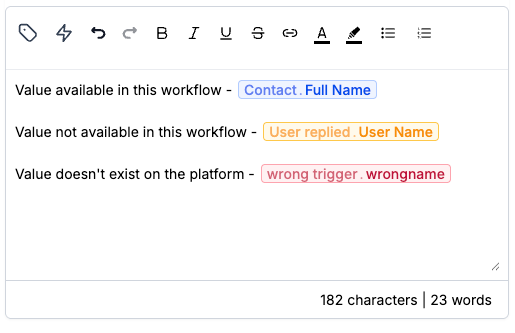
Workflow dynamic values now appear as chips in text fields so you can tell them apart from static text, with quick-add and edit built into the interface.
Type / in a workflow text field to search for and insert a custom value. Click an existing chip to replace it with another value in the same position; a chip shown in red is stale or unrecognized and must be replaced with a recognized custom value. This is a visual change only — existing custom values are not changed, and how custom values are rendered and resolved during workflow execution does not change.
See Insert and edit dynamic values in workflow text fields for details.