
Creating Direct Mail Postcards & Letters
Every JourneyCARE account includes free access to PCM Integrations (a PostcardMania company) to make sending postcards and letters to your contacts as easy as email.
Since 1998, PCM has produced over 2 billion direct mail pieces for over 110,000 businesses in our 75,000 sq. ft facility in Clearwater, Florida.
You can activate the integration in the left column of your JourneyCARE subaccount. Simply click Postcards and Letters. Review the terms of service and click Agree to Terms of Service.
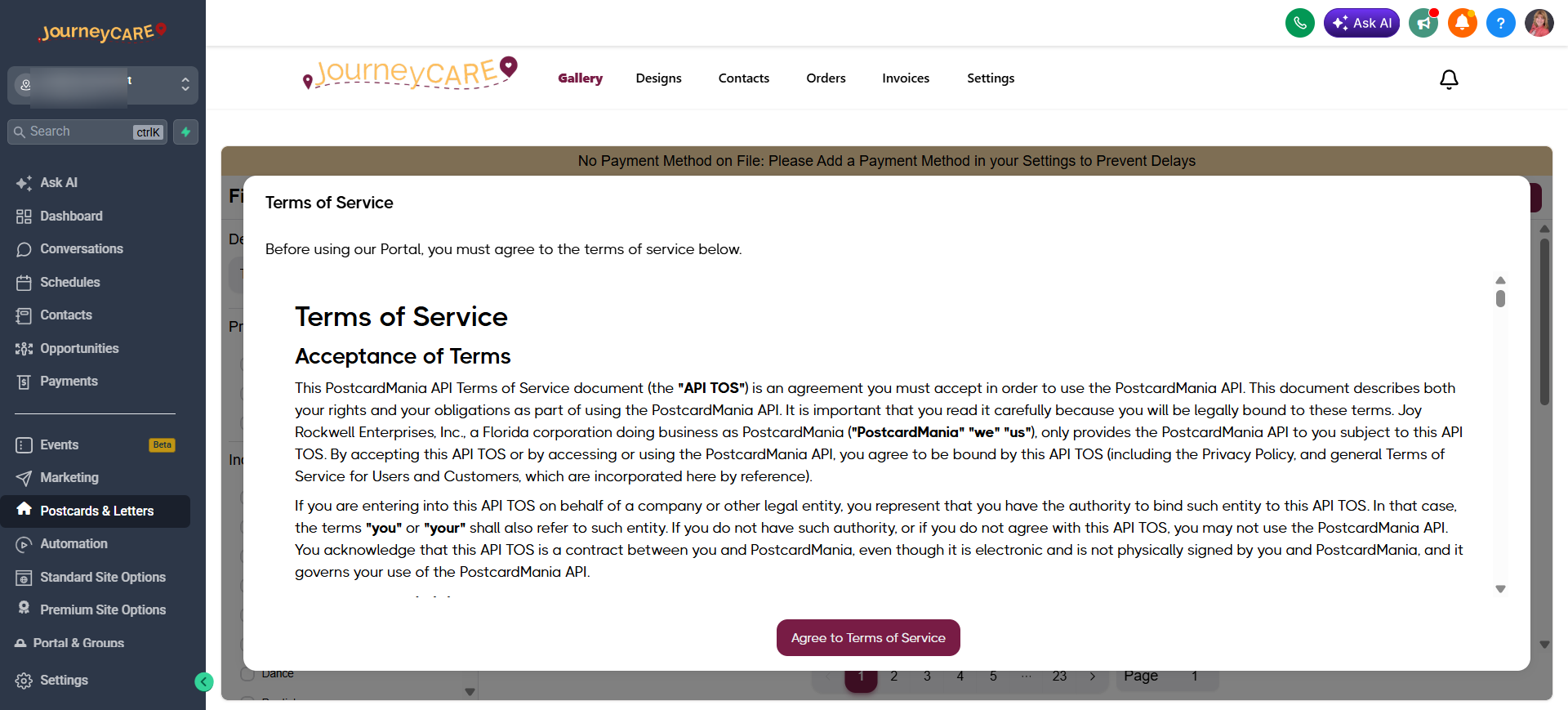
Note that you will not be able to use this feature until you have a credit card on file. This is billed separately from your JourneyCARE subscription and on a per piece basis - only for what you decide to send. The per piece price is shown when you create an item. It is based on what you are creating and the size.
Easily Send Postcards and Letters to Any Contact
• Send to one or multiple contacts on the contacts screen or directly through the application.
• Edit any of our many templates or upload your own design.
• Use optional variable fields to pull in contact specific information including custom fields!
• Fast turn around time of 1-3 business days! All mail is cleared through our in-house USPS detached mail unit for immediate entry into the postal system.
• Choose from our two plans based on your business needs. Only pay per piece mailed, or access discounted rates with our premium plans.
PCM services thousands of companies in different niches, so there are hundreds of Templates available. Even if the print item is not specific to your niche, you can still start with a template style that you like and simply change the wording/images.
• Thank You(s)
• Birthdays
• Follow-ups
• Holidays
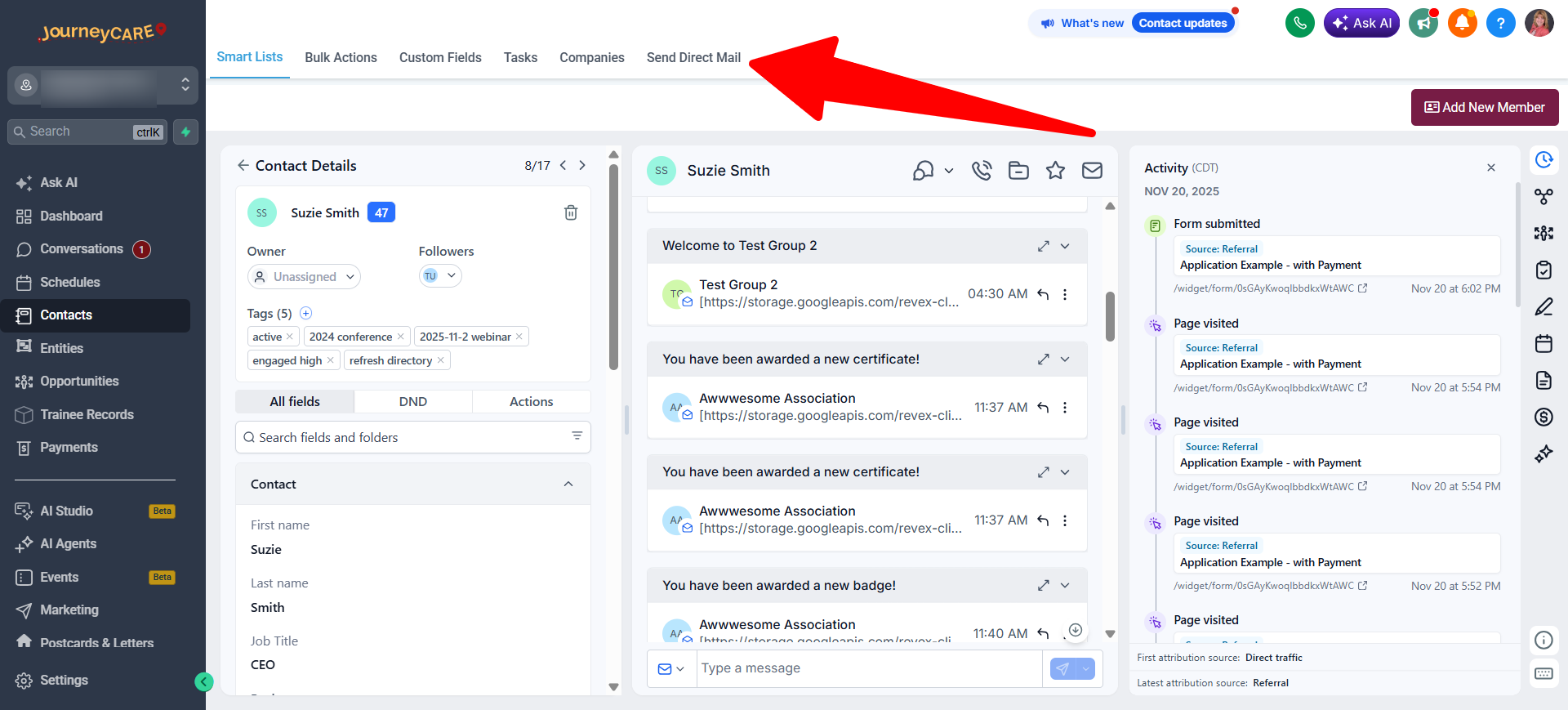
You can send postcards and letters manually from any contact. Click the tab that says "Send Direct Mail" at the top of any contact record.
Or use the workflow action "Send Postcard" or "Send Letter" to have something you've created go out automatically.
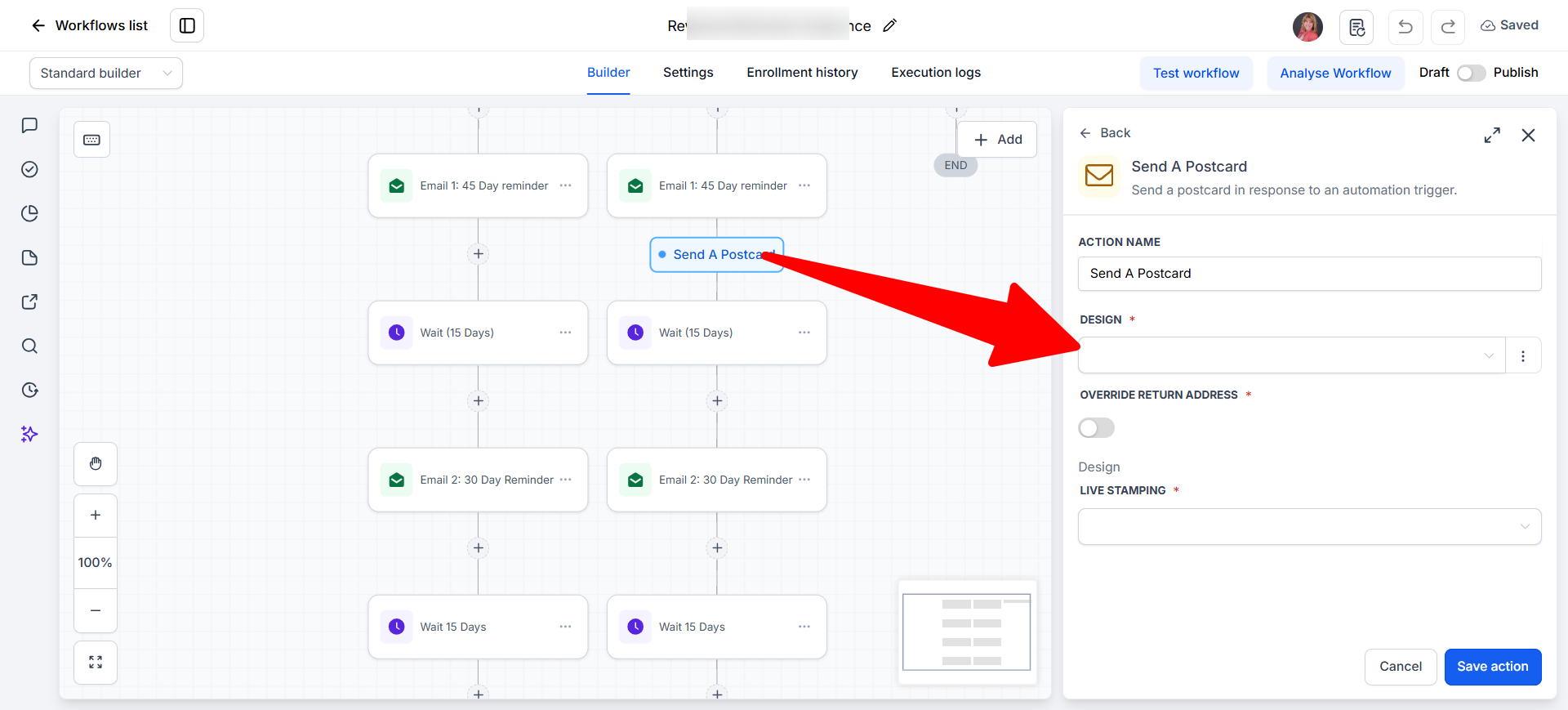
TIP: If you want to send an item in bulk to a group of contacts, the easiest way to do it is to create an automation with just a single action "Send Postcard" or "Send Letter". Then drop all of the contacts into that workflow at once.