
Sending Email to a Smartlist
Option 1: Simple Email
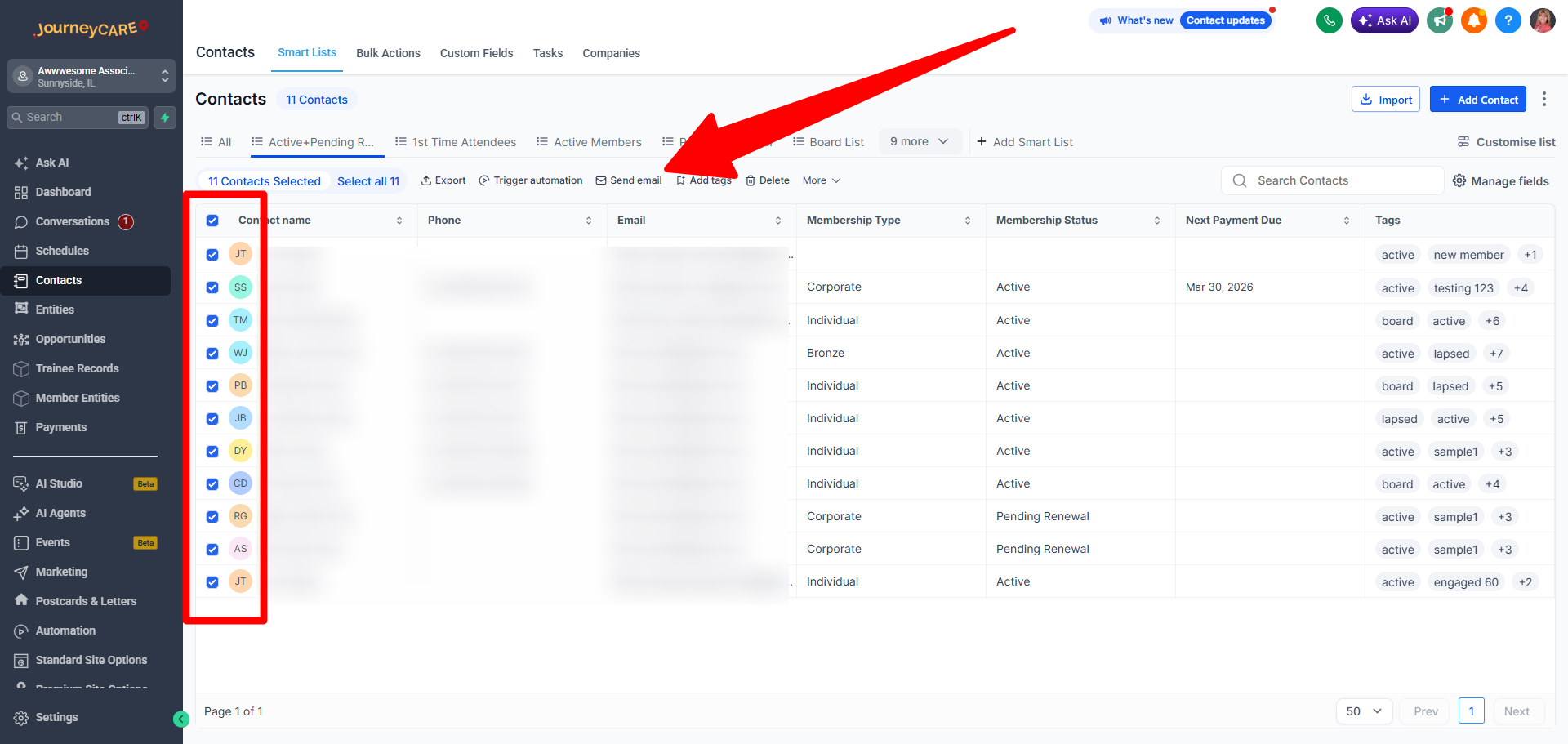
If you are just sending a simple email, you can select the people directly in the contact list view, then click on the "Send Email" quick action that appears once you've selected people.
Option 2: Email Blast created with the Email Editor
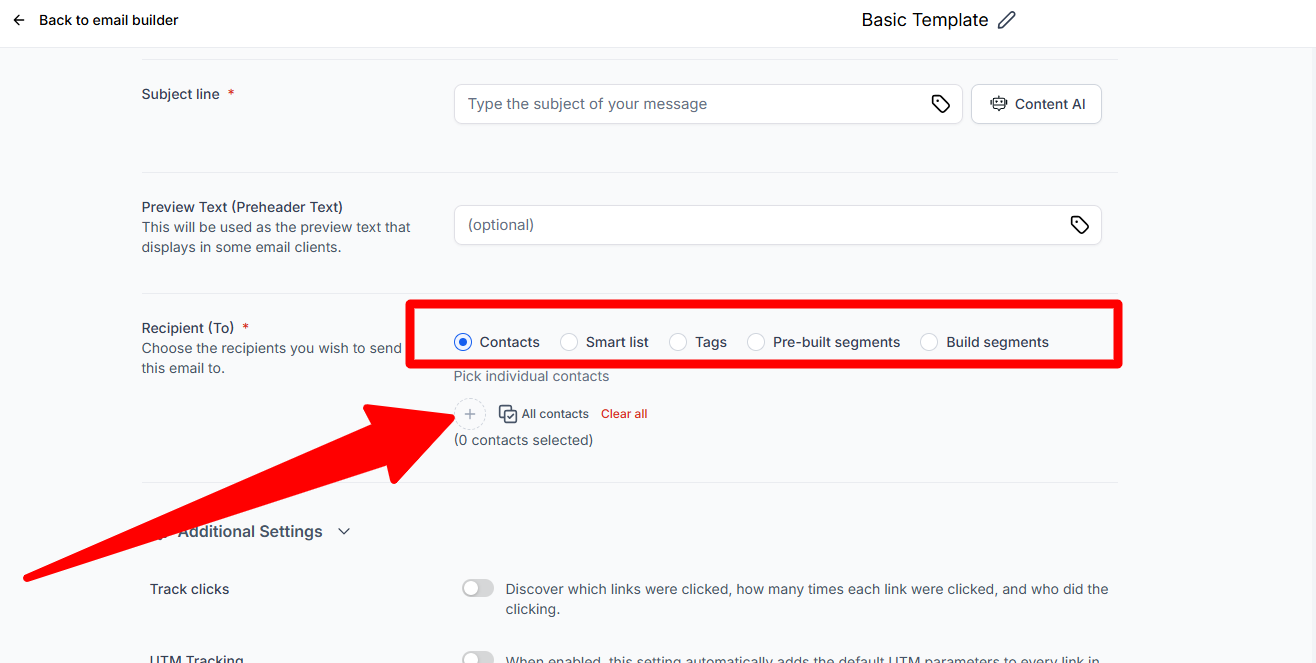
From the Send/Schedule screen in the Email Builder, you have several options when choosing recipients.
First, choose:
Contacts - if you want to send to All Contacts or individual contacts
Smartlist - if you want to send to a saved list
Tags - if you want to send to people who have a specific tag
Pre-built segments - if you want to send to some system-generated options
Build segments - lets you build a simple custom segment if you didn't pre-save a Smartlist
Once you've selected one of the above, you can click the "+" sign and you will see your options for that selection.
Note that the list that you'll see when you click the "+" is different, depending on which options you've selected.